Search
Rolltop's search finds what you're looking for by meaning and by keyword — so you don't have to remember the exact words you used. The search box lives in the top bar — click it, or press Cmd/Ctrl+K to jump to it. (There's no Search item in the sidebar.)
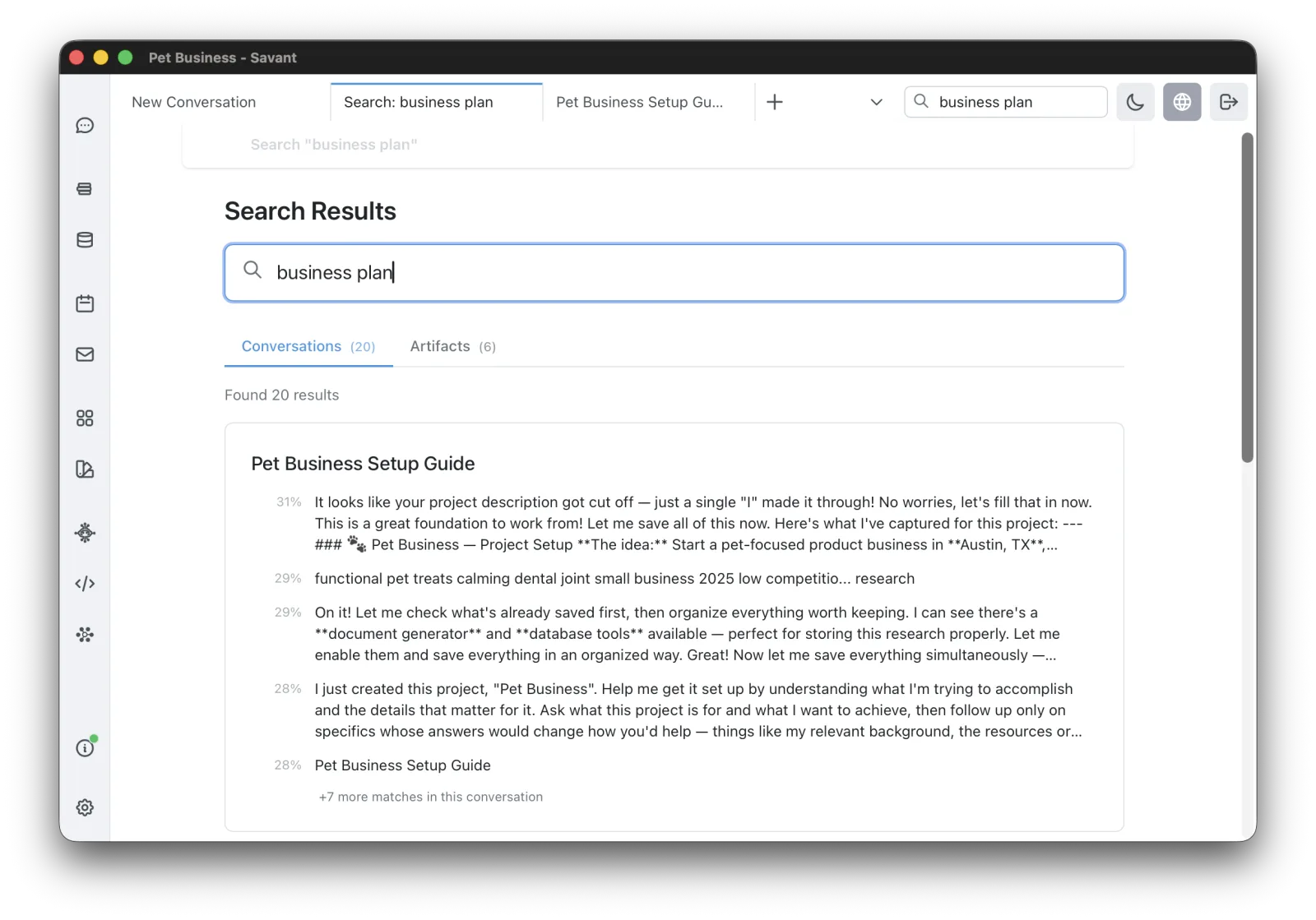
Hybrid search
Search combines semantic similarity (about 60%) with keyword matching (about 40%), and boosts results that match both. This fixes the classic "exact word doesn't match" problem — searching "deployment" finds the conversations that literally contain it, not just topically related ones.
What's searchable
Search covers the active project:
- Conversations — full text.
- Artifacts — documents, research (query and result), flashcards (Q&A), and image / video titles and prompts.
Results are grouped into Conversations and Artifacts tabs (both run in parallel), with one-click navigation to the source.
Project boundaries are hard — there is no cross-project search. Each project has its own index.
Corpus search is separate and described in Corpus.
Embedding options
Search uses embeddings, and you choose the model:
- Voyage AI (cloud, uses credits) — voyage-3-large / voyage-3.5 / voyage-3.5-lite.
- Ollama (local, free) — any local embedding model.
A reindex screen shows progress for both conversations and artifacts.