External & Hosted MCP
Beyond Rolltop's built-in tools (see Tools & Smart MCP Selection), you can connect your own MCP servers — both local processes and hosted services.
Both start the same way: open MCP Tools from the sidebar and add a server. The Add MCP Server screen offers two choices — Hosted Server (connect by URL) or Load External MCP Server (run a local server process).
Local servers
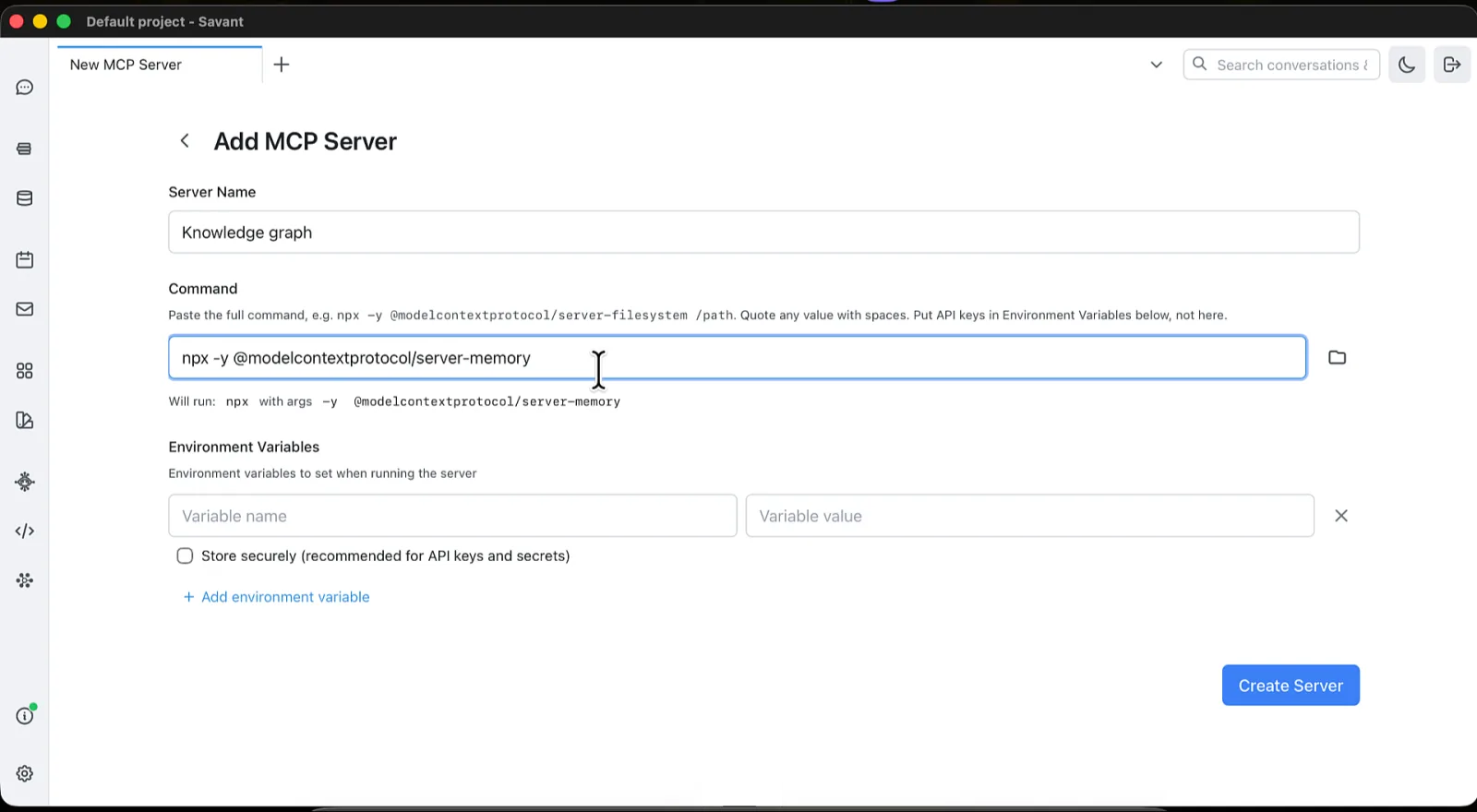
Choose Load External MCP Server and fill in two things:
- Server Name — whatever you want to call it.
- Command — paste the full command line, exactly as you'd type it in a
terminal, e.g.
npx -y @modelcontextprotocol/server-filesystem /path. Quote any value containing spaces. Bare commands likenpxanduvxresolve correctly here, not just in a terminal.
Add any environment variables below the command — that's where API keys belong, not in the command line. Values can be marked as secrets.
Once connected:
- Tools and their descriptions appear automatically, and usage is tracked in conversations.
- Enable or disable each server, and set its per-project visibility.
- Each server reports connection status and errors, with its own log file in the UI.
A server's Settings tab later shows its command and arguments as separate fields — that's the same configuration, just split up for editing.
Hosted servers
Connect to hosted MCP services — like Stripe, GitHub, Supabase, Auth0, Cloudflare, Sentry, Linear, Microsoft Learn, DeepWiki, and Hugging Face — without installing anything locally.
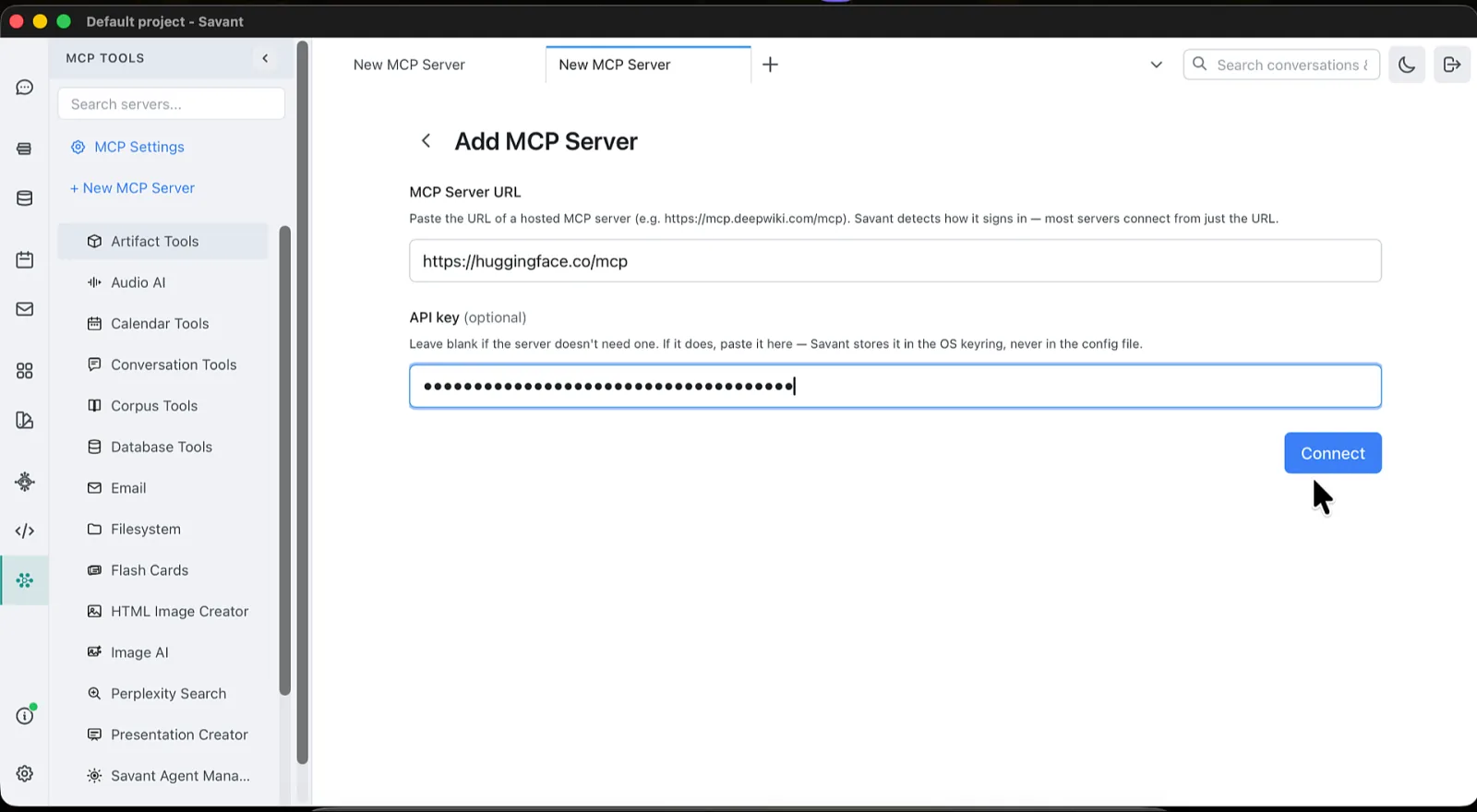
You never pick an authentication method. Choose Hosted Server and give it:
- MCP Server URL — e.g.
https://mcp.deepwiki.com/mcp. - API key (optional) — leave it blank unless the server needs one.
Rolltop works out how the server signs in — a browser sign-in, an API key, or nothing at all — and does the right thing. If it needs your consent, your browser opens to approve it. Occasionally a server's sign-in can't complete automatically (GitHub is one), and Rolltop tells you to enter an API key instead.
Any credentials are stored in your OS keyring, never in a config file.
Per-server instructions
Any server — built-in or external — can carry a short "how to use me" note. It's added to the AI's context only when that server's tools are in play, guiding the AI on when and how to use them. Set it in the server's settings under Additional Instructions (then click Update instructions); the note applies across all projects. Built-in servers ship with sensible defaults.
Protocol support
Rolltop implements the current MCP specification, including cancellation, progress notifications (with a per-tool progress bar in chat), elicitation forms, structured content, tool annotations and icons, and server-side logging — while remaining backwards-compatible with older MCP servers. A server's tool list flags read-only and destructive tools with a small badge so you know what each one can do.