Scripting
Scripts are small JavaScript programs the AI writes on request. You review, edit, and run them from the UI, or expose them as MCP tools any conversation can call. It's the power-user escape hatch for automation and integrations.
What scripts can do
Scripts run in a sandboxed JavaScript runtime with async/await and the standard built-ins, plus these APIs:
fetch(url, options)— HTTP requests to permitted domains.fs.*— read/write files in a sandboxeddata/folder (or paths you allow).db.*— query and modify your local SQLite databases.mcp.invoke(tool, params)— call any allowed MCP tool.agent.invoke(agentId, vars)— call one of your agents and get its text back.htmlQuery.parse(html)— jQuery-style CSS selectors for scraping.console.*— output captured to logs and visible to the AI.
Permissions
Every script declares a manifest of permissions — Database, Network, File, MCP, Agent, Console — each granted or denied, with domain allowlists for network and specific tool allowlists for MCP.
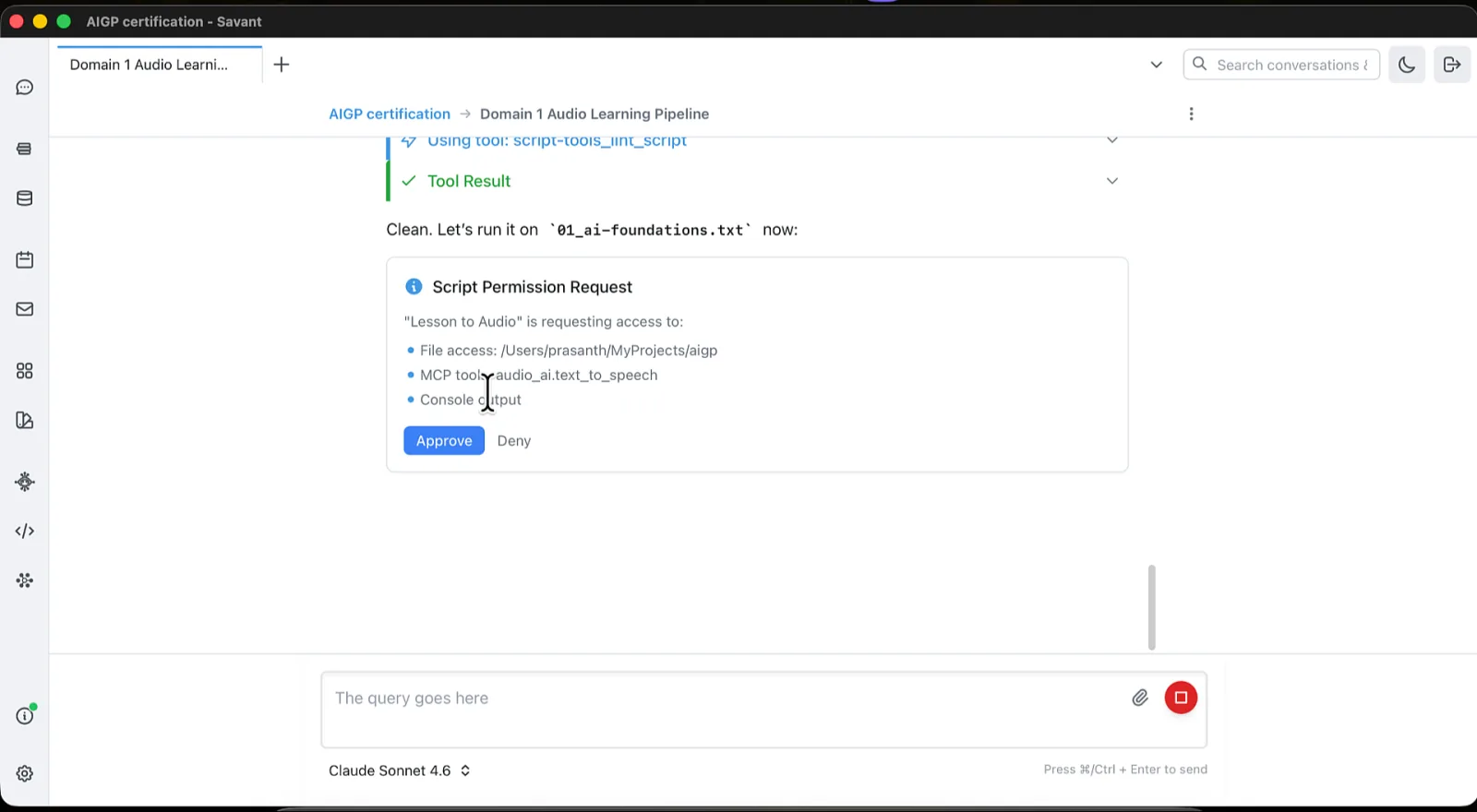
The first time the AI runs a script, you see an approval card listing the requested permissions and approve or deny. Approval is global and persistent — once approved, any conversation can run it. If the script's source changes, Rolltop asks you to approve again.
Creating and running scripts
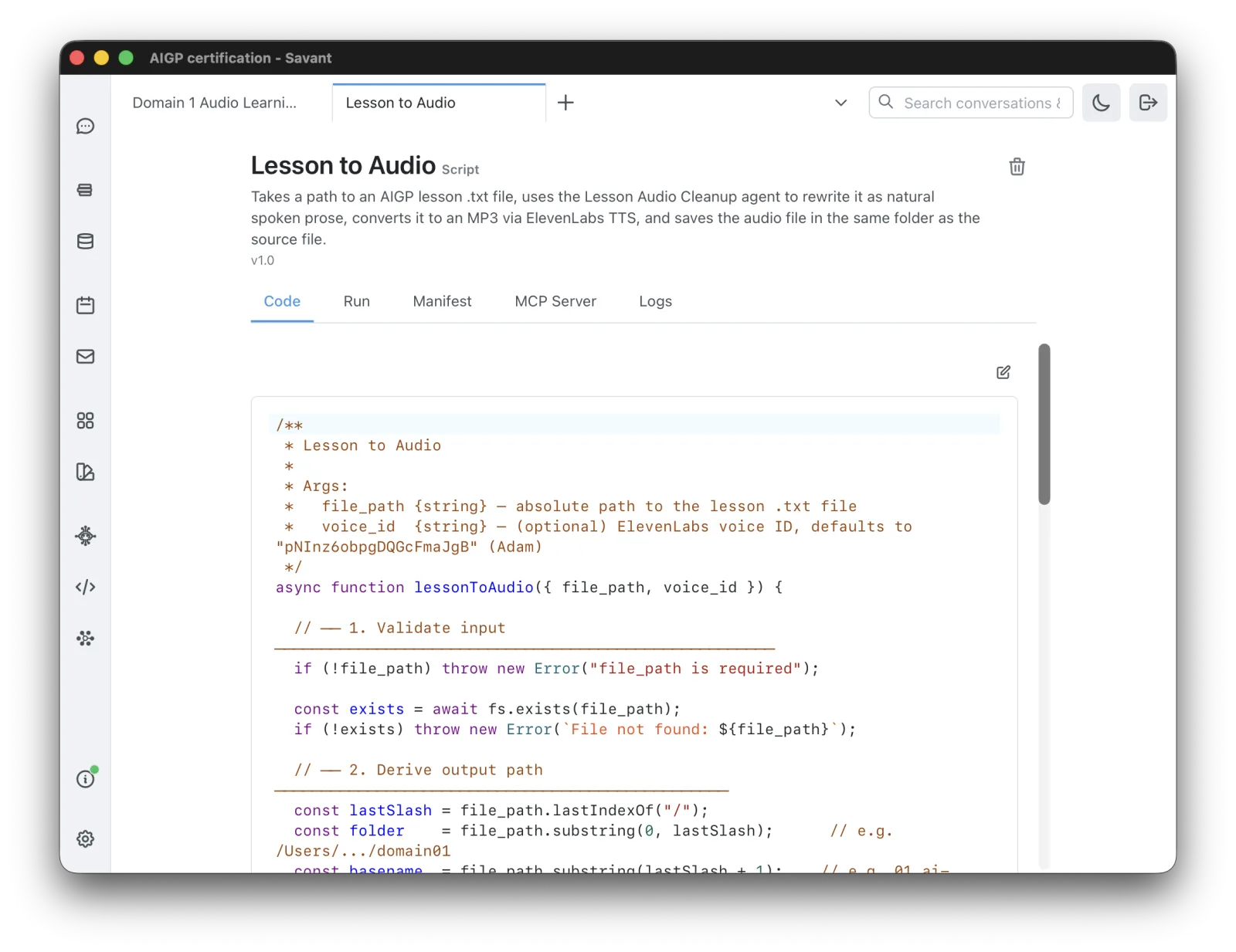
You don't start from a blank editor — ask the AI to write a script ("create a script that…") and it's added to the project. From there you manage it yourself: open Scripts from the sidebar to view, edit, and run any script. Each script has subtabs:
- Code — a JavaScript editor with syntax highlighting (linted on save).
- Run — run an exported function and see its result.
- Manifest — permission toggles and settings.
- MCP Server — expose the script as a server and see its tools.
- Logs — captured
consoleoutput.
Runtime notes
- Each script has its own sandboxed
data/folder (under the project'sscripts/<id>/data/) wherefs.*reads and writes; allow extra paths in the manifest if needed. - A run is time-limited — 30 seconds by default, adjustable in the manifest.
- A script returns the value from its exported function; throw an error (or
reject a promise) to signal failure — wrap risky calls in
try/catch.
Scripts as MCP servers
Set mcp_server.enabled: true in the manifest and each exported function becomes an
MCP tool, named from the script (e.g. "Customer Manager" → customer_manager). Source
edits take effect immediately — no restart. This is the simplest way to wrap a
third-party API as a tool without writing a full MCP server.
Example uses
Create a script that reads a CSV of contacts and inserts each into my customers database.
Build a "curse filter" tool I can call from any conversation.