Filesystem Access
Rolltop's built-in filesystem tool lets the AI read, write, create, move, and search files — but only in folders you explicitly allow. This is ideal for coding, writing, and document work.
How access works
You control which folders Rolltop can touch through an allow-list (global, or per project). The AI cannot reach anything outside it.
When the AI needs a folder that isn't allowed yet, an inline approval card appears in the chat. You grant access on the spot — read-only or read + write — and the folder is added to the project's allow-list.
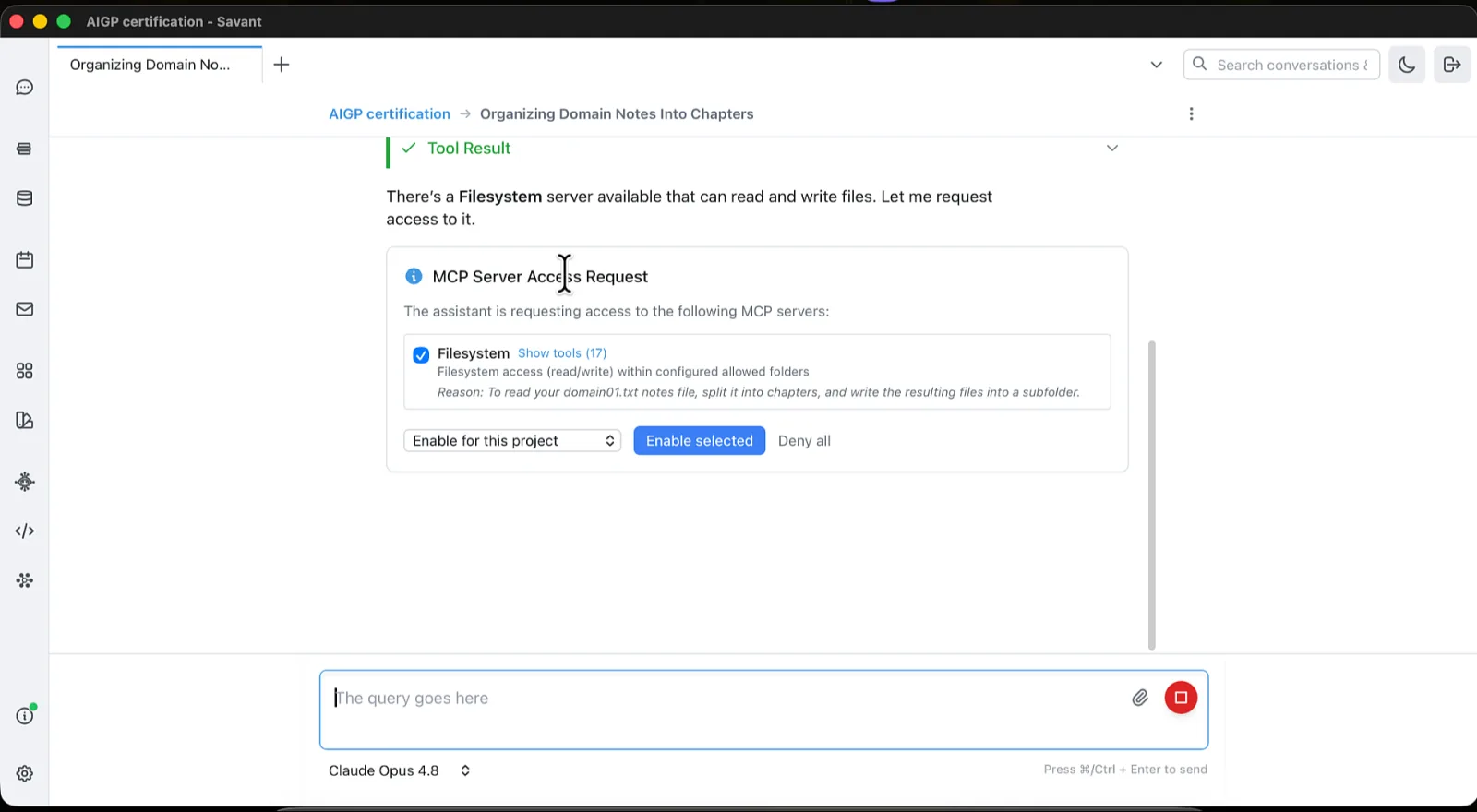
You can also add or remove folders manually from the filesystem server's settings under MCP Tools — it lists the Global Allowed Folders and Project Allowed Folders, each with a read/write toggle. See Settings.
What the AI can do
With access granted, the AI can:
- Read and analyze your code or documents.
- Create and edit files.
- Search through a folder's files.
For example:
Read the README in my project folder and suggest improvements.
Find every TODO comment under the src folder and list them with file and line.
Safety
The filesystem tool includes symlink-attack and path-traversal protection, and never operates outside the folders you've allowed. Grant read-only access when the AI only needs to look, and read + write when it should make changes.