Using Databases
Rolltop has a built-in SQLite database tool. You can create databases and tables, edit data in a grid, import and export CSV, and let the AI query and modify the data — all locally, with no setup and no credits.
Create a database
- Open Databases from the sidebar.
- Click + New Database.
- Add tables, defining each column's name and type.
When you create a table you choose a type per column — TEXT, VARCHAR, CHAR, INTEGER, REAL, FLOAT, DECIMAL, DATE, DATETIME, TIMESTAMP, BOOLEAN, or BLOB. You can add or remove columns and tables later, so the schema isn't locked once created.
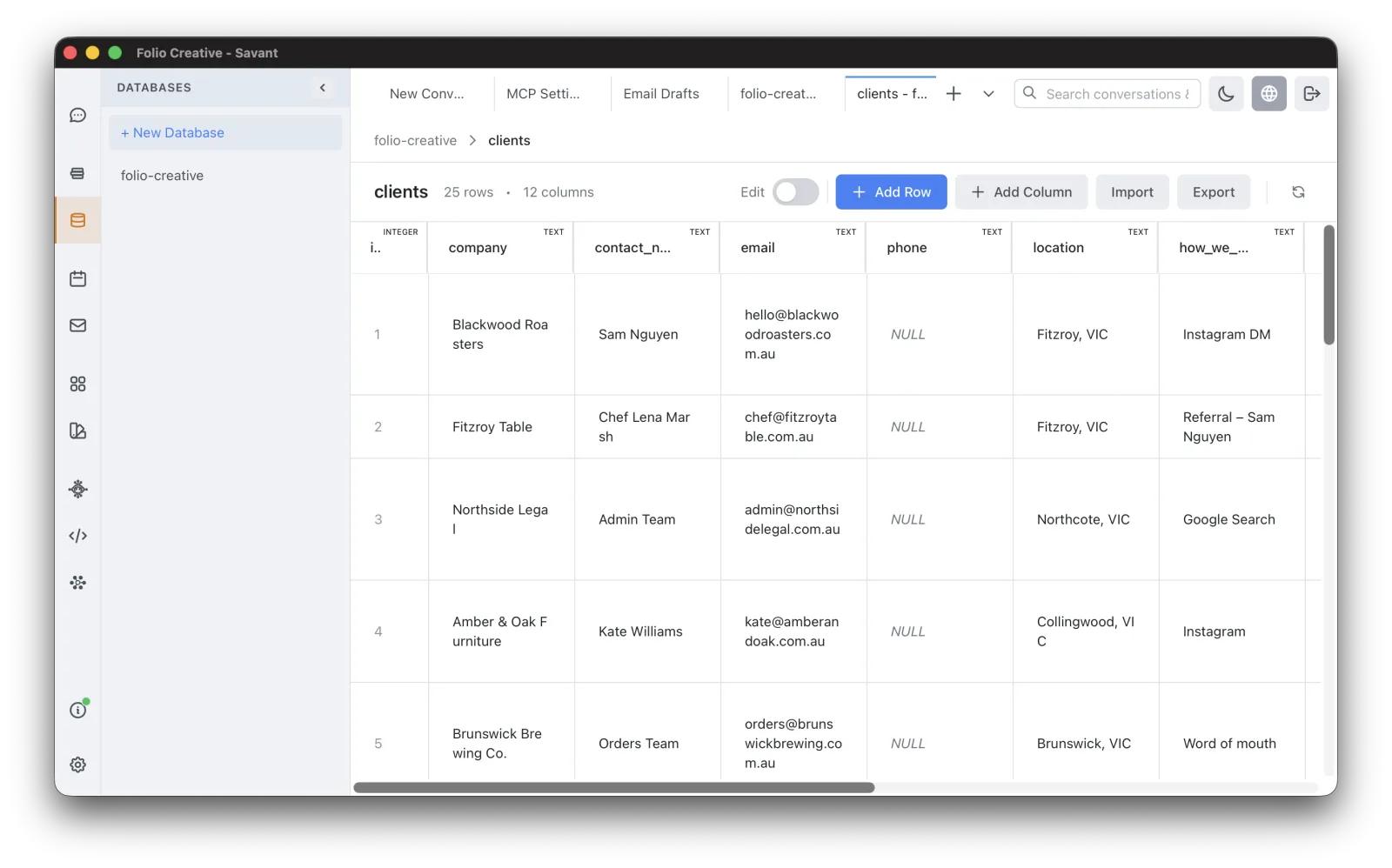
Edit data
- Use the inline grid editor to add, edit, and delete rows directly.
- Import a CSV to populate a table, or export a table to CSV.
You edit data in the grid; running SQL queries is something the AI does for you
(ask it in chat — see below). Each database is a standard SQLite file stored under
the project's databases/ folder, so you can also open it with any SQLite tool.
Let the AI work with your data
With the database tools enabled (see Tools & Smart MCP Selection), the AI can query and modify the databases you've created. For example:
In my customers database, how many sign-ups came from each country last month?
Add a "status" column to the orders table and set it to "pending" for all rows.
The AI works only with databases you create in Rolltop — it has no access to other databases on your system.
Databases and scripting
Scripts can read and write your databases too, via the db.* API — useful for bulk
imports or automated updates. See Scripting.