Local Models (Ollama)
Rolltop runs local models through Ollama. Local models are free (no credits), private (your data never leaves your machine), and work offline. The trade-off is that they need disk space and decent hardware, and smaller local models are less capable than the top cloud models.
You can use a local model for any conversation, and as a free embedding model for search and a corpus.
Set up Ollama
- Install Ollama from ollama.com for your platform.
- Make sure it's running.
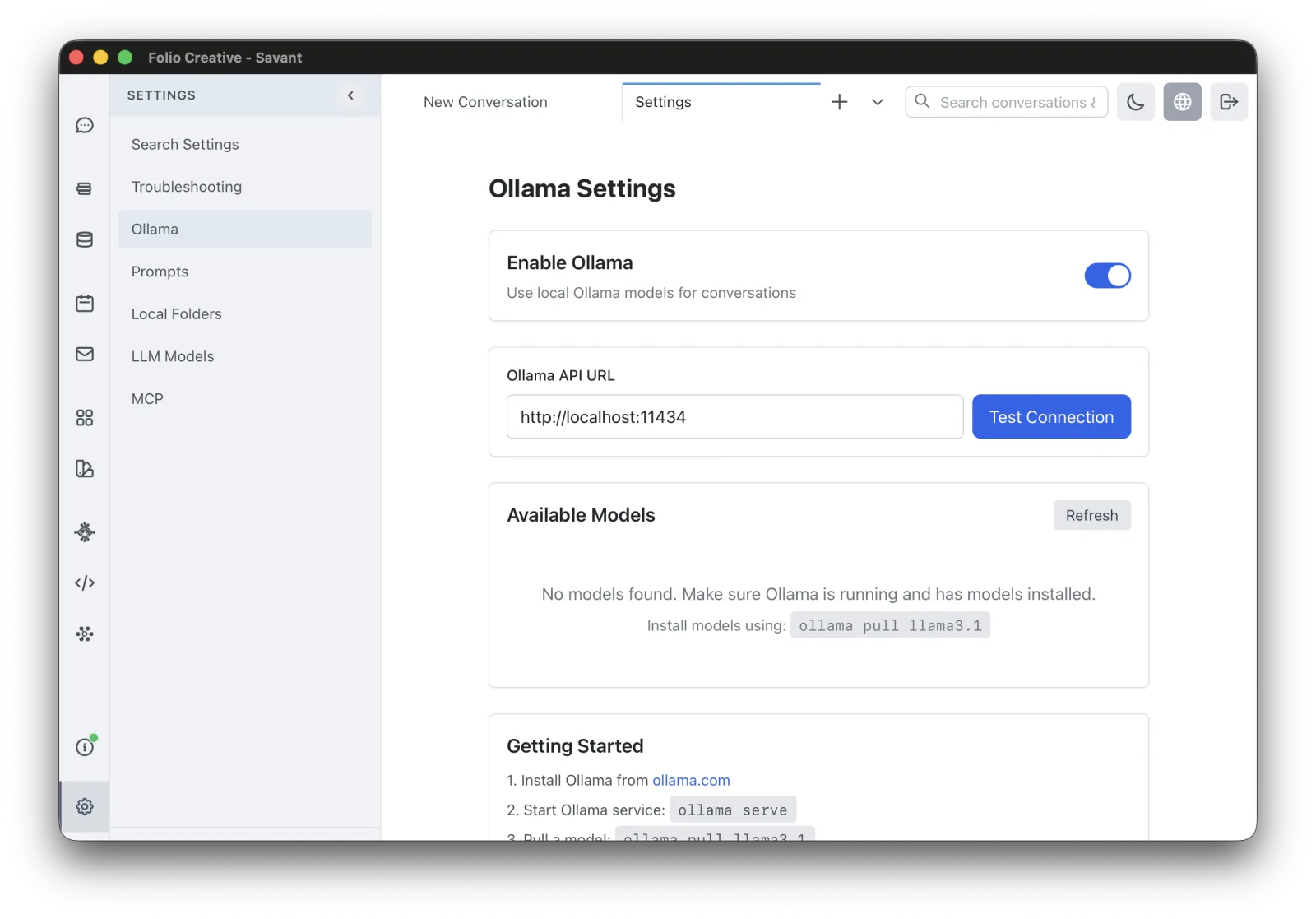
- In Rolltop, open Settings → Ollama and turn on Enable Ollama.
- Set the Ollama API URL (the default
http://localhost:11434works for a standard install). - Click Test Connection to confirm Rolltop can reach Ollama.
Get models
From the same screen, click Refresh to list the models you've installed in Ollama.
Add new ones with Ollama itself (for example ollama pull llama3). Pick models that fit
your hardware — larger models need more RAM and disk (often several GB each).
Once a model is pulled, it appears in the model selector alongside the cloud models. Select it for any conversation just like a cloud model — see Choosing a Model.
When to use local models
- Privacy-sensitive work that shouldn't be sent to a cloud provider.
- Offline environments. Rolltop runs offline and local models keep working when there's no connection — see Working offline.
- High-volume, zero-cost experimentation.
For the most demanding reasoning or generation tasks, a cloud model will usually give better results — switch per conversation as needed.