Corpus — Knowledge Bases
A corpus is a knowledge base: a collection of your own material that the AI can search to answer questions. It's how you ground the AI in your documents — manuals, research, notes, regulations — instead of relying on what the model already knows.
A corpus is project-scoped, and a project can have any number of corpora, each with its own description. Retrieval is RAG-optimized — built to find the right passage, not just topically similar text.
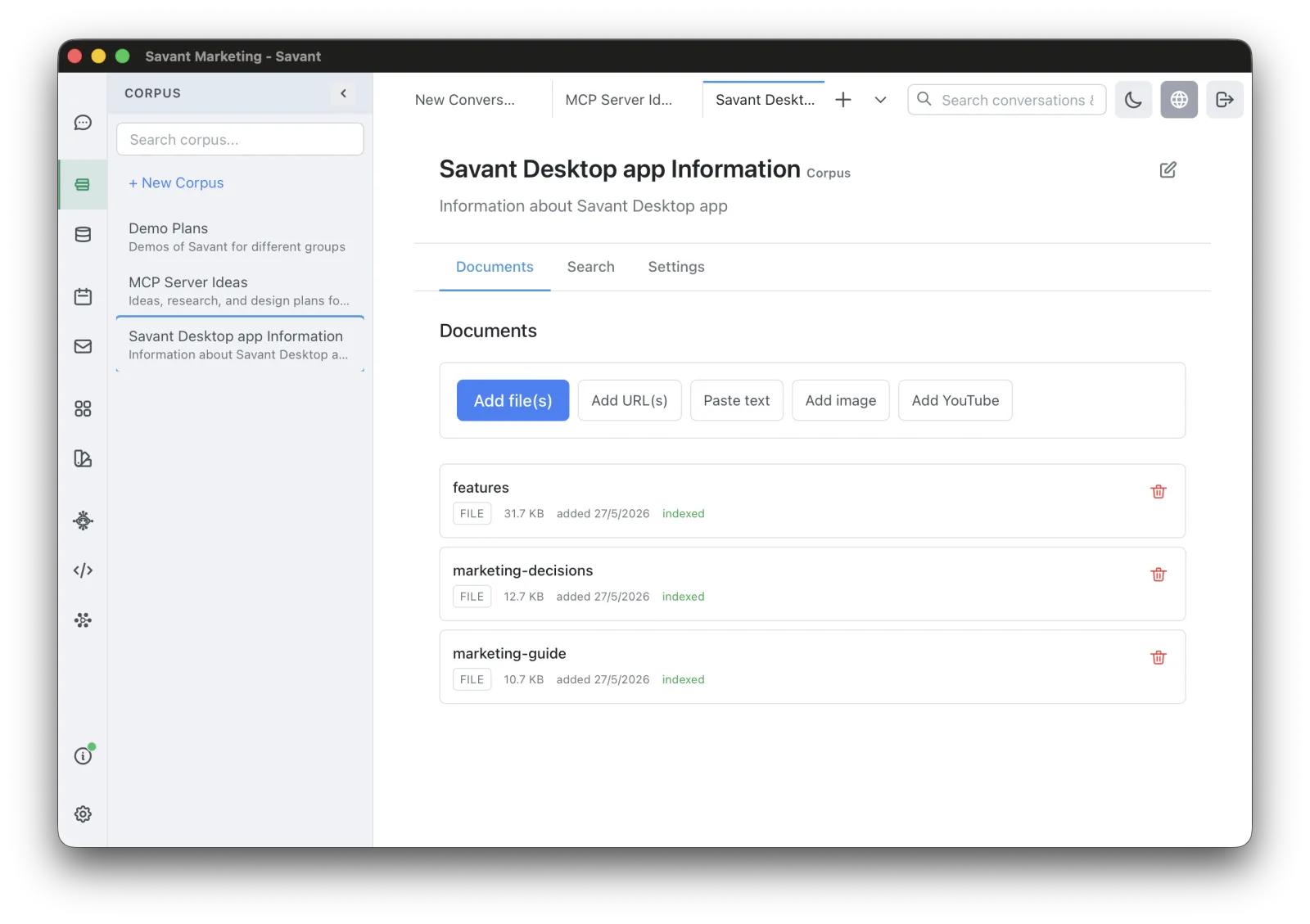
Create a corpus and add documents
- Open Corpus from the sidebar and click + New Corpus (give it a name and description).
- Add documents one at a time, or paste many URLs at once. Supported sources:
- Files — PDF, Markdown, HTML, or plain text.
- Web pages — a single URL, or a pasted list of URLs; each page is fetched and indexed.
- YouTube videos — paste a link; the title, description, and transcript are captured.
- Images — added with a title, description, and tags; they're found by that metadata (not by image recognition).
Every document carries an editable title, description, and tags. Duplicate detection avoids re-adding the same file or URL.
Save your own work to a corpus
Turn what you've already produced into reusable knowledge with a menu click:
- A conversation summary (Rolltop summarizes the whole conversation).
- A research result from Perplexity.
- An agent run's result.
Indexing and upkeep
- Documents index automatically as you add them — there's no manual "start indexing" step.
- Re-index a single document if it failed, or reindex everything on demand.
- Refresh from source re-fetches a web page or YouTube video.
- Choose a per-corpus embedding model: Voyage AI (cloud, uses credits) or local Ollama (free). New corpora inherit your global default.
How retrieval works
Search is hybrid — about 60% semantic meaning plus 40% keyword matching, with a boost when a passage matches both. Titles, descriptions, and tags are always searchable, so a well-tagged document surfaces even when its body doesn't mention the exact word.
Using a corpus
- From the UI — open a document for an inline preview: a large image view, an embedded YouTube player, or rendered Markdown for text / HTML / PDF. You can also run a search test against the corpus.
- From the AI — a corpus is exposed as a tool. When relevant, the AI searches your corpora and pulls in the right passage on its own (you may be asked to enable the corpus tools — see Tools & Smart MCP Selection).
Corpus vs. Context Memory
Use a corpus for a body of material the AI should search on demand. Use Context Memory for a few durable facts the AI should always keep in mind.